Week Two - Navigating the web

Well, well, well . For a girl that has never really been into pod casts, maintaining my attention for the entire length of Michael Rappas presentation was somewhat challenging. I am running a bit behind with my blog posts, however am determined to catch up within the next few days (famous last words)
Navigating the web has proven to be way more complex than I had first anticipated. I think it is fair to say that most don't give the history or the process much thought. The Internet ,and having the answer to most things at the touch of a keyboard has become the norm.
Being a mature age student I am one of those few that remember when we got our first computer at home as a kid. Everyone was getting a commodore 64 and my family, much to my embarrassment end up with the far inferior Tandy 64. To play a game, I had to get the manual and input the computer program myself. Once the program (named Whirlybird) was input I found it mesmerising to watch a very basically drawn helicopter fly from one side of my screen to the other.
Truth be told, I felt quite smart after inputting said computer program.
Michael Rappa did have some interesting points. I have taken the liberty of sharing some of those points with you today. Your welcome.
1. Michael spoke of the vast amount of data on the Internet today. There is an endless availability of data stored. Everything that is input onto the web remains somewhere in the wide world of the Internet and because it is virtual space so to speak, professional storage has become incredibly cost effective.
Previously each organisation had to manage the storage of their own data using computer disks and drives, this is no longer the case. Interestingly in the real world we see landfill and waste as an increasing problem. In the cyber world the opposite happens, no one ever throws anything away. Much of what we create online, we save.
2. The Internet offers immense searching opportunities. As mentioned above, no data is ever thrown away, giving us an amazing ability to search on a wealth of information, from many different resources. Michael uses The Library of congress as a bench mark. What is the Library of Congress you ask? Good question. It is only the largest library in the world! With in excess of 158 million items, stored on over 838 miles of bookshelves (I'm intimidated amongst the shelves at the Fed uni library, you'd find me rocking in a corner if I had to find something in the LOC). Michael compares the current online data to that of 37'000 new Libraries of Congress. (That is 31,006,000 miles of book shelves Eek!) historically data was scarce, difficult to source, expensive, time consuming to collect and incredibly difficult to share. This is no longer the case. Having said that though, Michael recognises that much of the current online information has temporary relevance and creates high levels of noise. It is clearing through that noise and finding the relevant information that is the challenge.
What is exciting is that moving forward information will be collected, stored and transmitted with greater and greater ease, saving both time and money.
My favourite quote from Michael's podcast is " The search engine that successfully ties the users needs with the most relevant information will win user loyalty and affection" (Rappa, 2014)
3. The third point Michael makes is that with all this data available to search on, how does an organisation or individual ensure they are successfully found? Historically it was advertising that brought brand awareness to the fore, although Michael assures us this is still part of the solution, the methods have become more complex and diverse.
Search based marketing is on the increase. The idea is that when a person searches for a particular item, the top half of the page is actually all paid placement. The concern however is whether or not people realise what they are looking at has been paid for or if they believe it to be genuine search results.
Paid placement is a multi billion dollar industry and one of the biggest projected growth areas. Watch this space.
4. There are four elements to a search engine.
1. Database - There are too many databases for each search to include every database. Only a small portion are utilised per search.
2. Collection mechanism for adding information to that database.
3. Search protocol - This allows the user to question the database
4. A ranking algorithm - This determines how the information is presented to the user.
Marissa Meyer
Wow! what an inspirational lady. I loved the 4 minutes 20 seconds so much I found another great youtube interview with Fortune magazine, where she spoke of the three most important decisions she has made as CEO of Yahoo. Incredibly interesting and motivating woman.
One point that I felt was really interesting was where they get their ideas from. Some ideas come from users, however the vast majority of ideas come from their staff. This is something that I would not say is particularly common in the real world. To actively engage staff in the area of innovation must have great retention benefits.
I love how candid and clearly passionate Marissa was by every aspect of her role and the business. I love the idea of " how are we going to capture the imagination of our user" The Internet and the smart phone phenomena has changed the way people look at technology. It used to be all about function, now it has to look good and feel good using it.
I don't know about you but I am a shocker when it comes to updating my computer or my I Phone. In a mildly anti feminist way I let my husband do it or wait till he tells me it's time. It's just not my thing. Now I know why there are so many updates and changes and so frequently. Marissa mentioned their key method tends to be launch early and launch often. They try something, get alot of feedback and then make necessary changes to make the product the best it can be.
I'm about to teach you a new term, one that I will be trying to fit into general conversation as often as possible. Here goes.....
Dog Fooding - Yep, sounds pretty gross doesn't it. Turns out that when Marissa started at Yahoo she allocated a smart phone to every staff member. Previously they all had been issued with Blackberrys. The reason for the change was so that staff could "dog food" which means they could try their own apps and products to be able to effectively review them.
The final point that I thought was a really interesting one was that they work in teams. they want decisions to be made quickly, therefore they find this happens most efficiently when the team are all in the same office. It allows them to be agile. In the Fortune magazine interview a woman asked about why Yahoo had a hard line stance on working from home, considering todays constant battle with work/life balance, to which Marissa explained now is Yahoos "time to shine". "When you need to innovate, you need to be able to collaberate" and she felt it was difficult to do that if you are not in the same space.
To be completely honest I am struggling to come up with four points. I watched the video twice, paused it in parts but I am not sure I got four clear points in relation to business, but I was mesmerised all the same.
Part 2 The history of the Internet according to Michelle.....

Source http://joaobordalo.com/files/topInternetHistory.png
Bill Joy is one of those people who were there from the beginning. Fortune Magazine called him The Edison of the Internet. Bill has taken the liberty of dividing the Internet into six webs. He mentioned that with all of the new information online, he finds it confusing sometimes. This from a man who is filled with information on the web. ( I think he was being polite. I think he did this for all of us simple folk who really do get confused.) Let me share those six webs with you.
1. The Near Web - This is defined by particular characteristics. You will almost always have a keyboard to type the information with an and a mouse. Most commonly a laptop or note book.
2.The Here Web - This is the device that's always with you. It has a small screen. Bill believes you are not about to watch a film or read a long book but it is where you will find all your personal information. Interestingly I know many a person who has watched a movie or read a book on a flight on their smart phone.
3. The Far Web - is a very corporate application. One where you are more inclined to sit back from the computer screen. This will be used less in individual environments and more within the corporate sector.
4. The Weird Web - What a great name! this is for all of those crazy applications we thought we could only dream of. An example of such weirdness is voice recognition. In Bills opinion voice recognition is perfect as an in car application. A place where it is not appropriate to type into a Sat Nav or to call someone. Bill saw the perfect option as a ear piece. Admittedly the ear piece was fairly popular ten years ago. Today however not so much. I know Siri has become a good friend of mine in recent times. There is still a long way to go in regards to automated voice response ,but the fact that you can ask Siri anything and she will search the web to find a result, is pretty cool.
5. B to B - This is business computers talking to each other internally to automate business processes. Bill didnt go into to much detail about the final two. so straight to the point on this one.
6. D to D - Device to device, creates a meshed network. In my opinion this is a little like the Weird web for the wider world. The idea that a series of sensors intertwine to work together. Already used to see what is happening on roads, Bill visualises that we will know what restaurants have availabiulity in our vicinity, what friends are driving close to us. Funnily enough the check in option quite possibly uses the application and there is even an app where you can check in and it will tell you who in your vicinity are single and looking for love. Crazy!
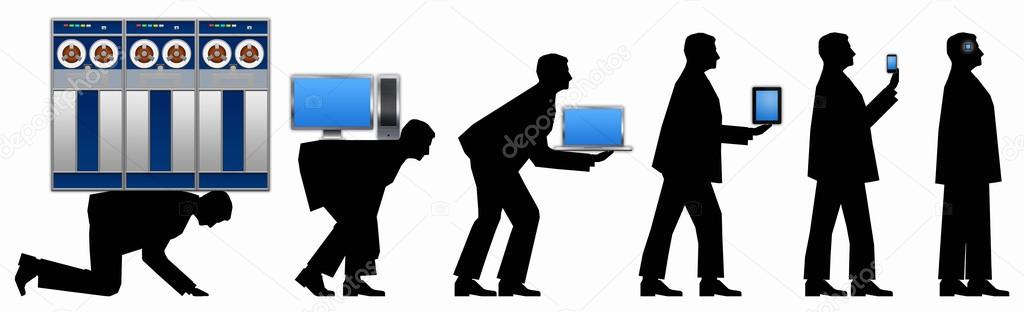
People no longer have a relationship with their personal computer, it is their mobile device that holds peoples loyalty and attention today.
What does this all mean for business moving forward?
There is enormous entrepreneurial opoprtunity. It's an exciting time to be a business within the technology sector. The ever changing and introduction of new material and the advances in material science means that the environment is ever changing. Network companies are the way of the future and where much resources and energy will be directed. Bill believes that these technologies will continue to develop greatly within his lifetime.
The second half of this blog was written with constant interruption by a six and three year old. Amazingly this information seemed wasted on them, although funnily enough they were making a movie using my Iphone. I wonder if Bill Joy visualised the impact the Here Web would have on families and young people. My three year old swipes every piece of technology he comes across and my six year old is already ofay with terminology and technique aswell. It is a pretty weird world we live in and pretty exciting to!
References
http://www.loc.gov/about/fascinating-facts/
http://st.depositphotos.com/1898785/2135/i/950/depositphotos_21356099-Evolution-computer-technology-3.jpg
https://www.youtube.com/watch?v=7Nw5j6aI8sg
https://www.youtube.com/watch?v=fALEg5HtF-w
http://joaobordalo.com/files/topInternetHistory.png